CTI Support Bot
A private AI assistant I built at CTI Products so coworkers could find technical answers more easily.
Clip properties
- Track
- Software
- Role
- Built during internship
- Timeline
- Jul to Aug 2026
- Status
- In use
- pages of company knowledge made searchable
- 10,000+
- less time spent looking up an answer
- 95%
- outside AI services receiving our questions
- 0
The story
When I started my CTI Products internship, I noticed how much people knew and how many manuals we had. Finding an answer often meant finding the right document or asking the right coworker. I wanted to make that easier.
Our team has nine people, and three are developers. I built a bot that lets anyone ask a question about our documents. It runs on a MacBook Pro with 48 GB of memory, so we don’t send our questions or documents to an outside AI service.
How it works
Follow the signal
Parts:
- Sources: wiki, site, PDFs, tickets
- Uploads: watched folders
- Ingest: extract, OCR, vision
- Index: chunks, embeddings, tiers
- Question: browser chat
- Hybrid recall: BM25 + embeddings
- Rerank: cross-encoder, weights
- Second hop: draft, bridge query
- Answer: local LLM, citations
Connections:
- Sources to Ingest: crawl, sync
- Uploads to Ingest: scheduled
- Ingest to Index: embed
- Index to Hybrid recall: allowed tier only
- Question to Hybrid recall
- Hybrid recall to Rerank: 36 candidates
- Rerank to Second hop: draft
- Second hop to Hybrid recall: bridge query
- Rerank to Answer: sources + confidence
Behind the build Tools & technical details
Python · Ollama · Qwen 3 · Qwen2.5-VL · mxbai-embed-large · FlashRank · Tesseract OCR · pytest
Python and Ollama run the document processing, search and local models. The system indexes manuals, the wiki, support tickets and uploaded files, using OCR for scans and a vision model for diagrams.
Keyword and embedding search feed a reranker. Product matching and documentation weighting help keep old tickets from crowding out manuals. Answers cite sources, and access tiers restrict which documents each server can retrieve.
The hard part
Sometimes it found an old support ticket or a manual for the wrong product. I worked on how it searches so it would find better sources. It also needed to say when the documents didn’t have an answer.
What came out of it
People at the office use it, including coworkers who aren’t developers. Seeing them ask technical questions and get useful answers was really cool.
A closer look
Start screen.
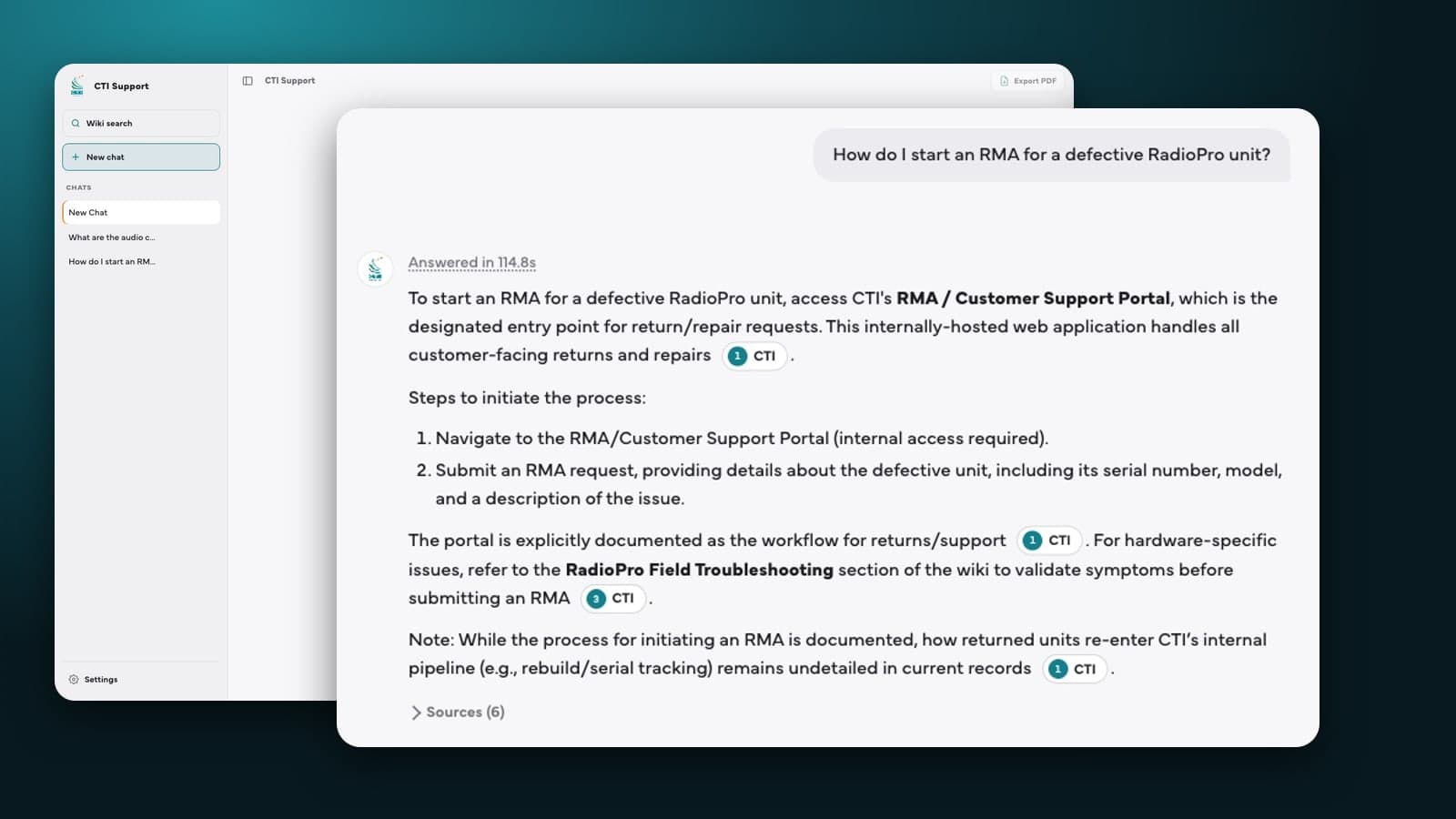
An answer with inline citations to its sources.
When no document covers the question, it says so instead of guessing.